


1 min read
Understanding Basic vs. Advanced Scans in TraceAir's Platform
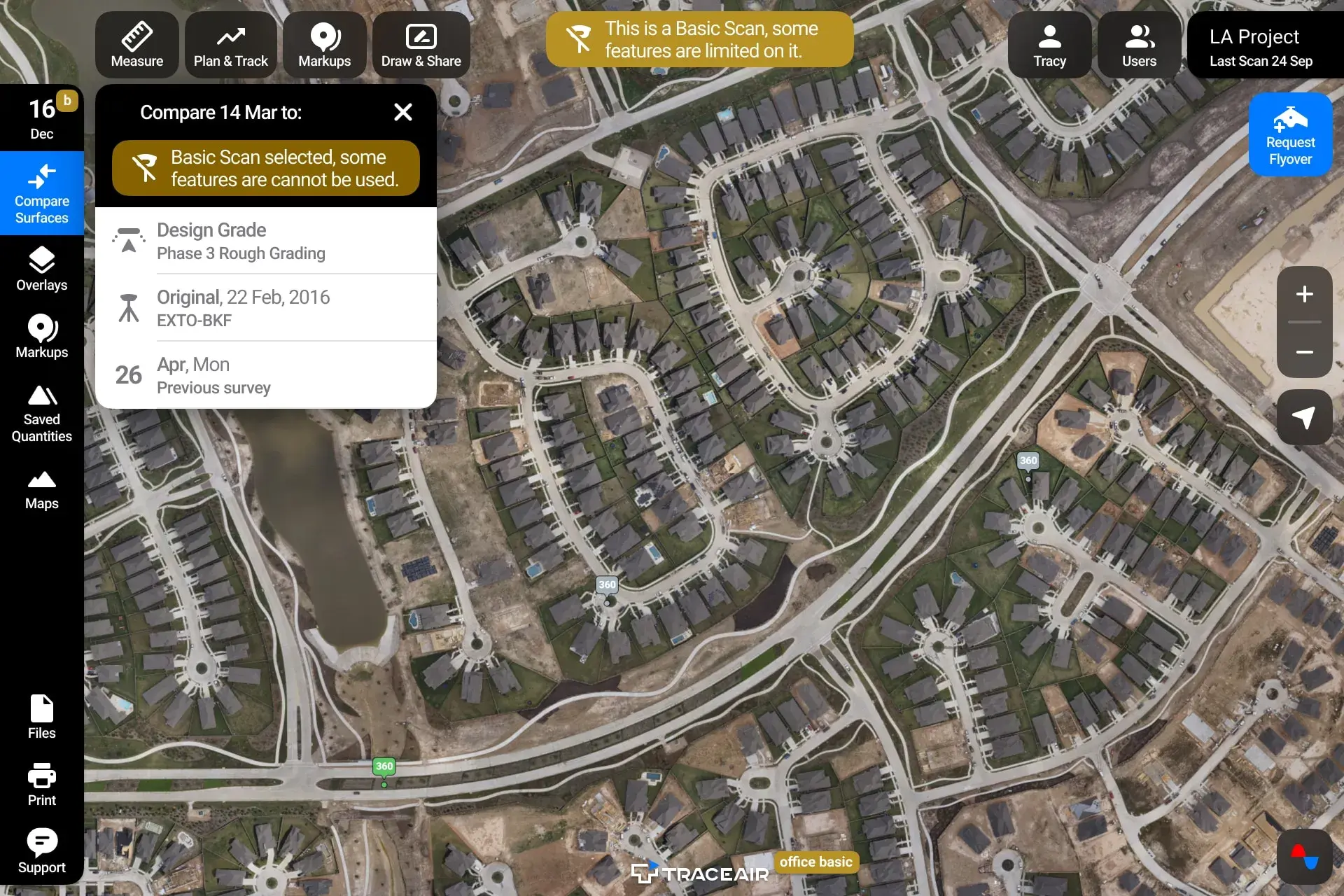
Basic vs. Advanced Scans We recently released an update to our platform that differentiates Basic scans from Advanced scans. Many of our users...





2 min read
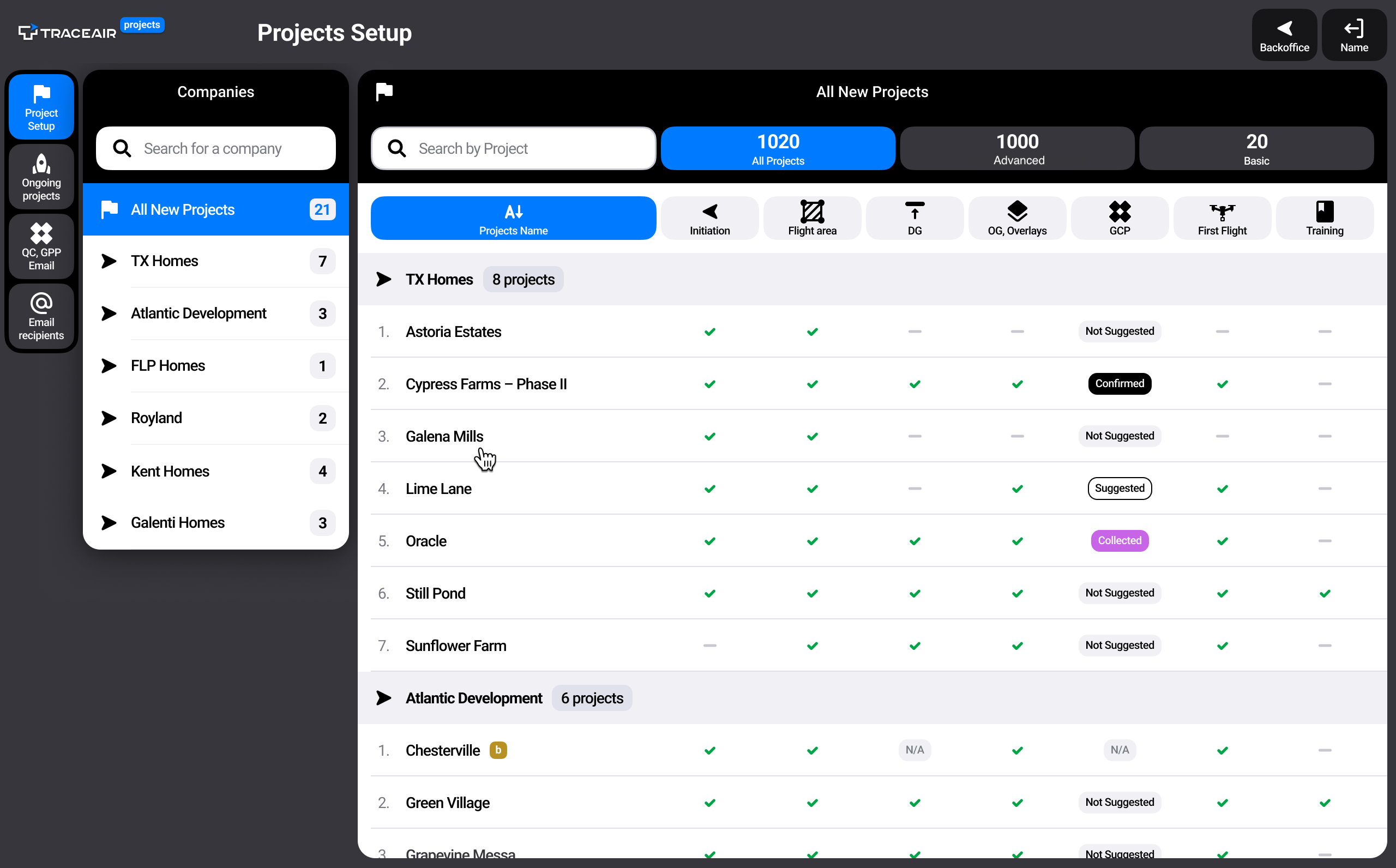
We are thrilled to announce the launch of our brand-new Projects Portal. Designed to simplify onboarding and project management within TraceAir, this powerful new tool empowers you to take control of your projects like never before.
The Project Setup feature is your go-to resource during the onboarding process. The onboarding checklist guides you through each essential step to successfully launch your project: confirm flight area, collect design grade and overlay files, place and measure GCPs, conduct the first flight, and complete TraceAir training.
As tasks on the list are completed, your Customer Success Manager will check off items. This tool is especially useful for users managing multiple projects. Check this list at any time to see the status of your project's setup.
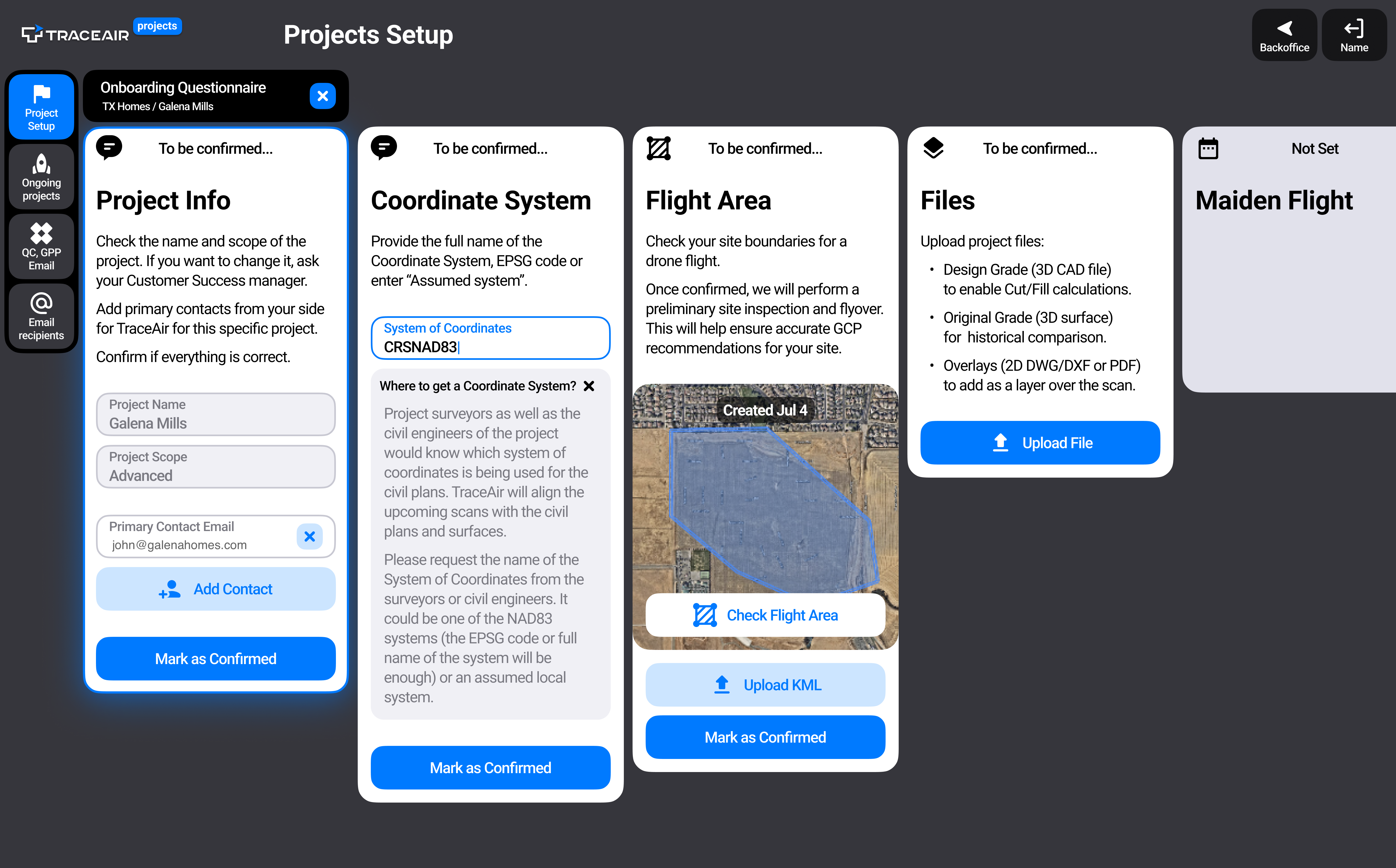
By clicking on any project in the Projects Setup stage, you'll be redirected to our new Onboarding Wizard. This tool creates a direct line of communication between you and our Customer Success team. It allows you to confirm the data collected during onboarding, ensuring accuracy and clarity throughout the process. With the Onboarding Wizard, you can collaborate effortlessly with our Customer Success team and receive real-time updates on your project's progress.
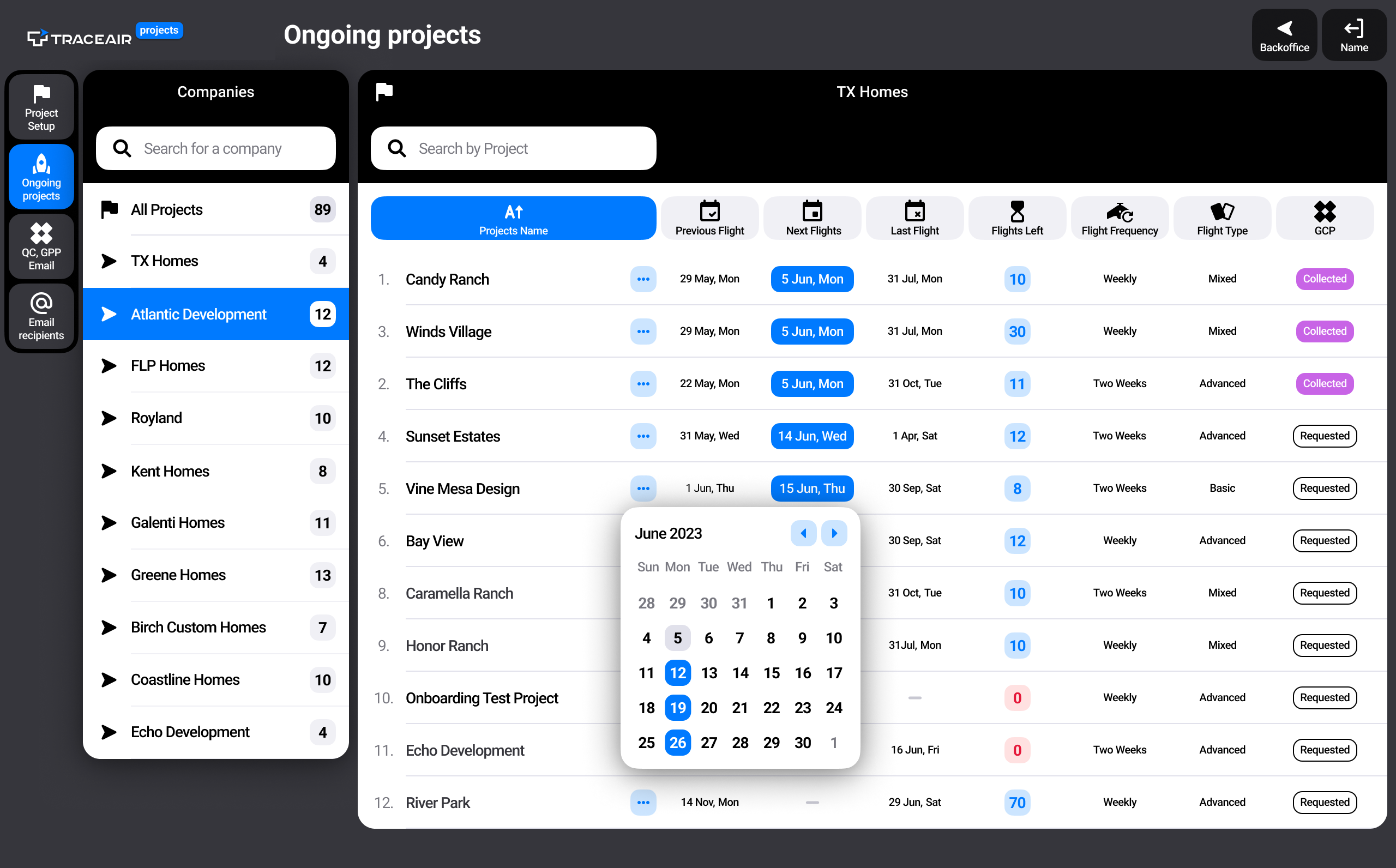
Projects Portal also includes an Ongoing Projects section. This user-friendly table provides an overview of your projects, complete with important dates and contract details. Stay informed about previous, next, and last flight dates, and access information about the number of flights remaining, flight frequency, and flight types.
Need additional flights or looking to renew your contract? The menu of actions (indicated by three dots next to each project's name) enables you to make these requests effortlessly, eliminating unnecessary hassles.
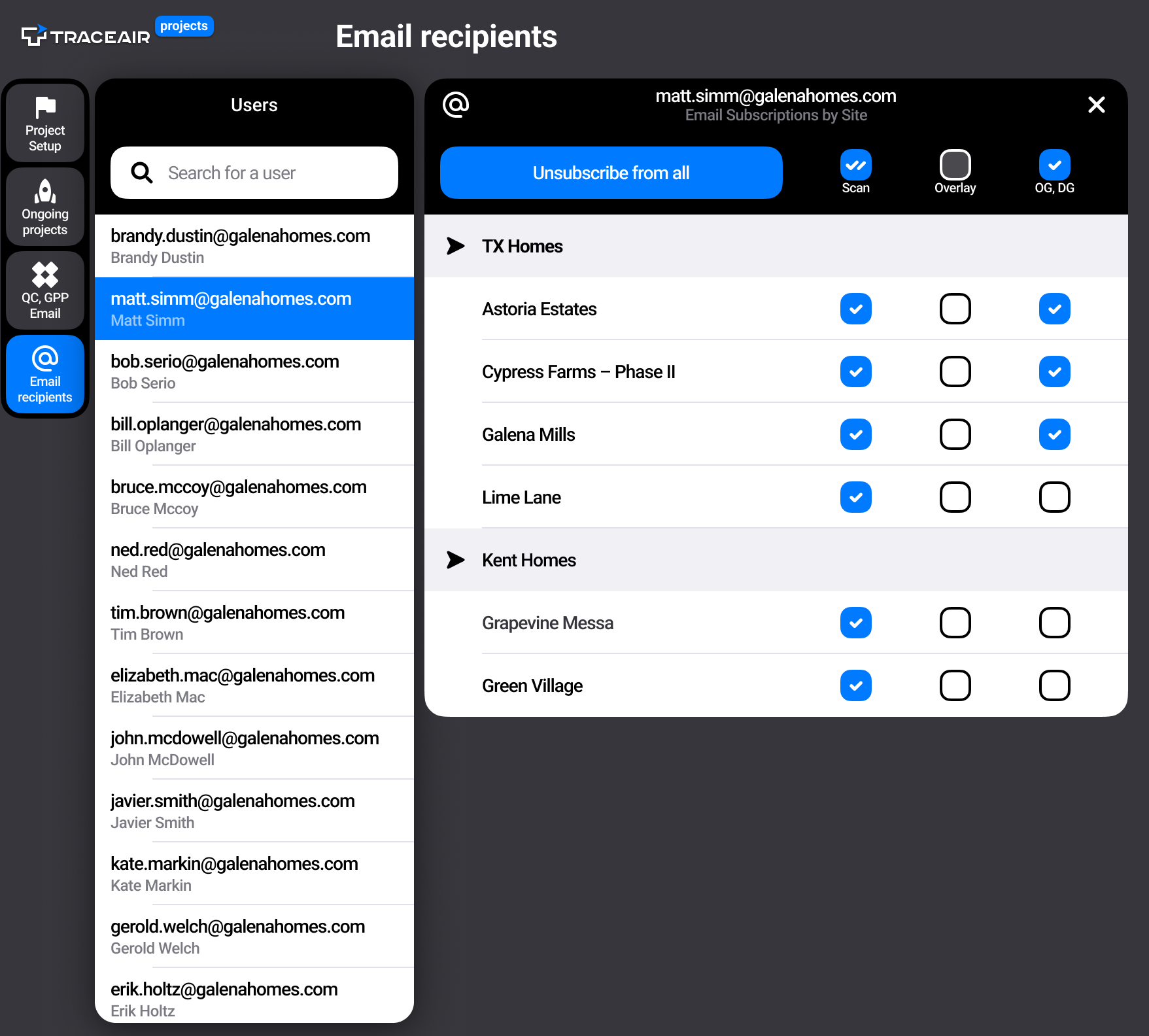
Within the Projects Portal, user admins now have the power to effortlessly register new users, easily assign or revoke access to projects, and resend welcome emails to those who may have missed activating their accounts. Admins can also now manage email notifications about new scans, overlays, and OG/DG on behalf of all users of their accounts.
At TraceAir, we take great pride in providing our clients with white-glove service. We understand your time is valuable, and we are dedicated to streamlining our processes, simplifying collaboration, and providing you with the best support possible. We're here to make your journey with us exceptional, from start to finish.
If you're already using TraceAir, simply log in to your account to access the Projects Portal and start enjoying the benefits of streamlined onboarding and project tracking. If you have any questions or feedback, contact our Customer Success team. We're here to ensure your experience with our platform is exceptional!
New to TraceAir? Schedule a demo today to discover how you can lower land development costs, increase efficiency, and empower your team.
1 min read
Basic vs. Advanced Scans We recently released an update to our platform that differentiates Basic scans from Advanced scans. Many of our users...

2 min read
By now, you know that TraceAir is a powerful and proven solution for homebuilders and land developers to achieve site balance, track progress, and...
Welcome to the first product update of 2024! In this article, we'll take you through the exciting new features and improvements rolled out in...