


Introducing: Lot Viewer
For anyone in the homebuilding industry, time is one of your most valuable assets. The need to survey your lots multiple times is very time-consuming.





2 min read
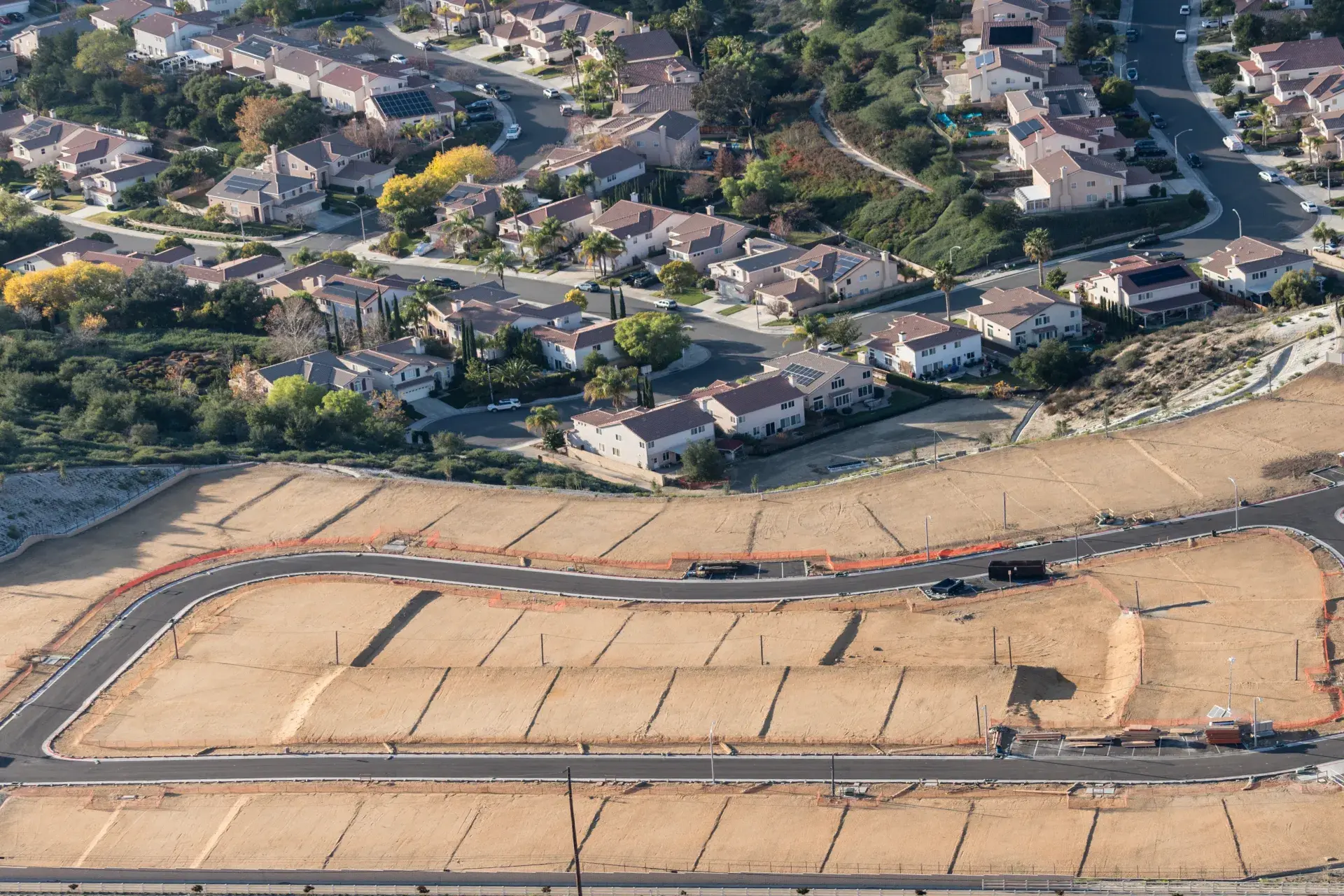
At TraceAir, we take great pride in continuously evolving our tools by actively listening to user feedback, ensuring that our solutions address real-world needs. As a result of this collaborative approach, we are thrilled to introduce game-changing new updates to our Lot Viewer tool. With new enhanced features, comprehensive reports, and intuitive color-coded maps, you can now gain even more insight into the status of your lots, collaborate with stakeholders, and make fast, informed decisions.
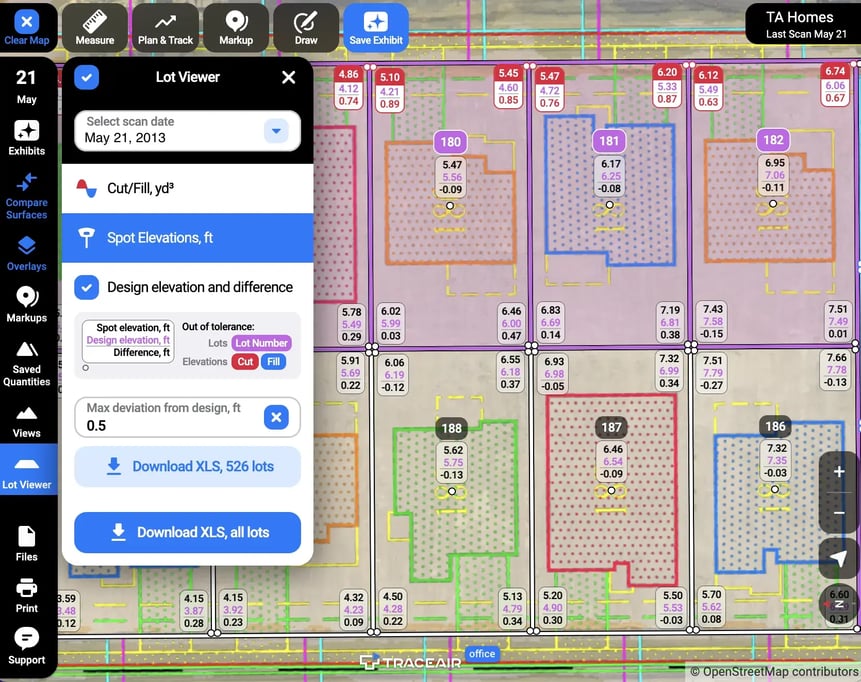
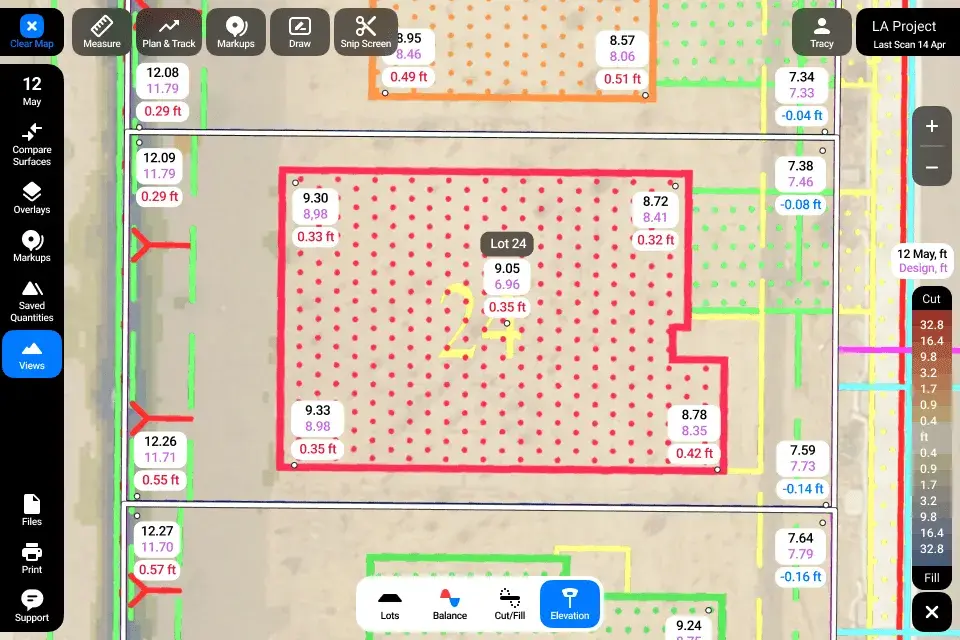
The spot elevations tool within Lot Viewer virtually grade stakes your lots. When activated, it will show you elevations at all four corners of the lot, the building pad, and the center. In addition to spot elevations, it provides you with the design grade and displays the difference between the two.
With the addition of our new deviation feature, you can now input the maximum acceptable deviation from design grade, and easily identify which lots are out of tolerance and by how much. Generate a report on just these or all lots and share this valuable information for seamless collaboration with stakeholders.
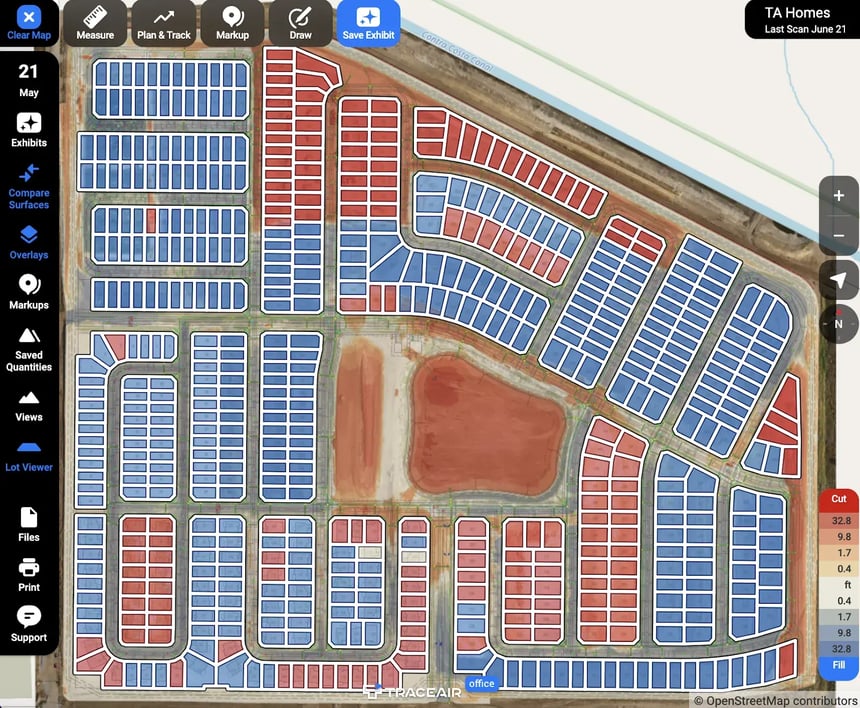
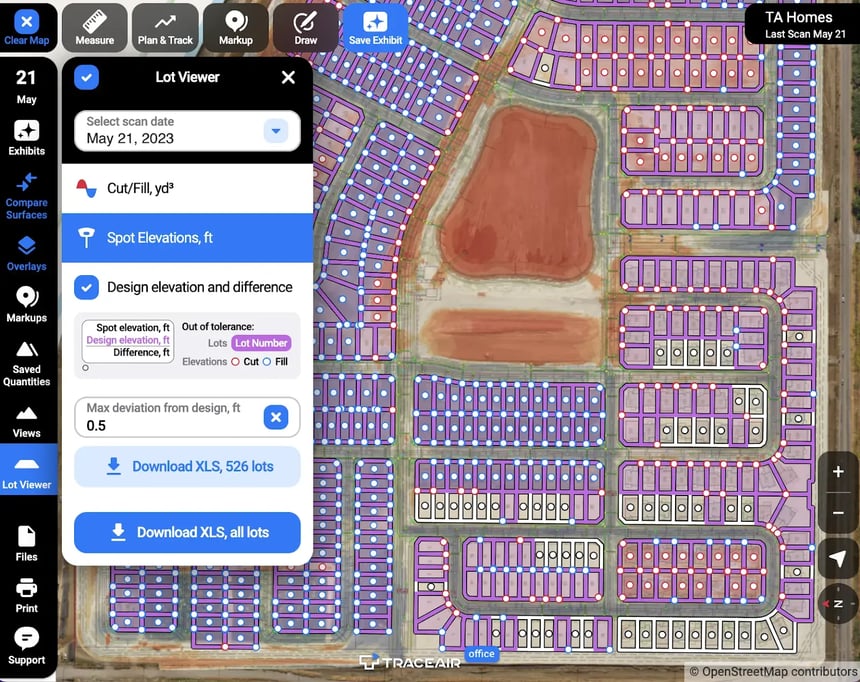
New color-coded maps enable instant identification of lots in need of attention. In cut/fill mode, red indicates lots needing cut, blue indicates lots needing fill, and white indicates lots that are balanced. In spot elevation mode, purple identifies lots deviating from the set tolerance limits. These maps provide a clear visual, enabling users to quickly identify areas of concern and prioritize actions, resulting in maximized efficiency.
Lot Viewer seamlessly integrates into your TraceAir workflows, allowing you to streamline collaboration. With enhanced export capabilities, comprehensive reports and visualizations can be easily shared, allowing stakeholders to be informed and engaged. Add notes and drawings for clarification. Share reports, exhibits, and visuals with grading contractors to minimize rework and maximize efficiency.
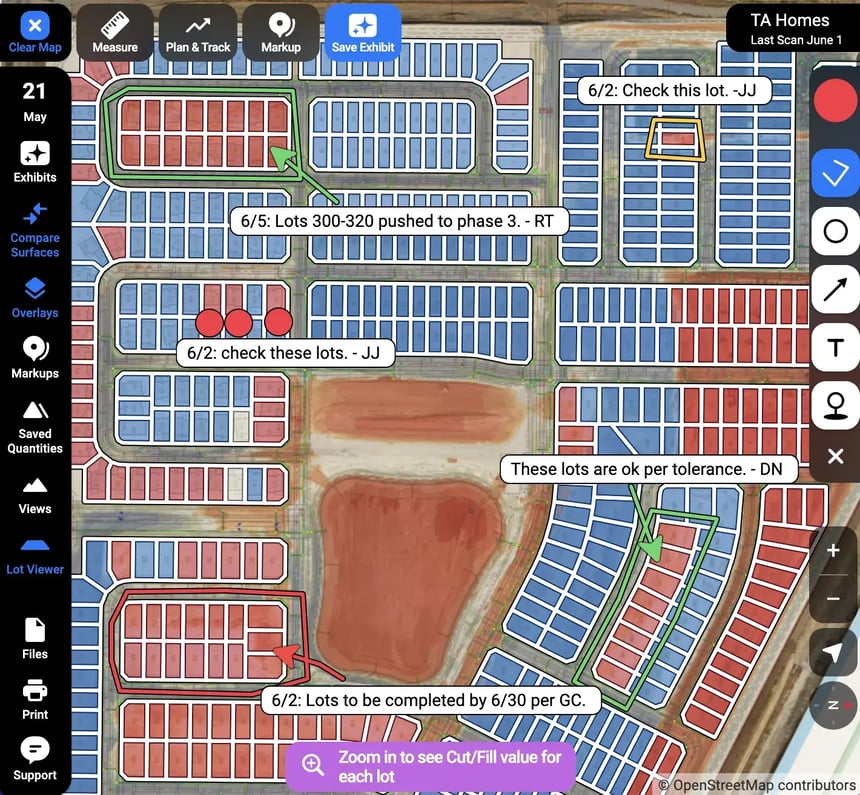
Our improved zoom capabilities enable you to use all of the tools within Lot Viewer at any level. Whether you need a broad overview or a closer inspection of specific areas, Lot Viewer has you covered. Zoom in to analyze spot elevations and adjust deviation limits to fine-tune your grading analysis. Zoom out to identify lots that need attention with color-coded indicators.
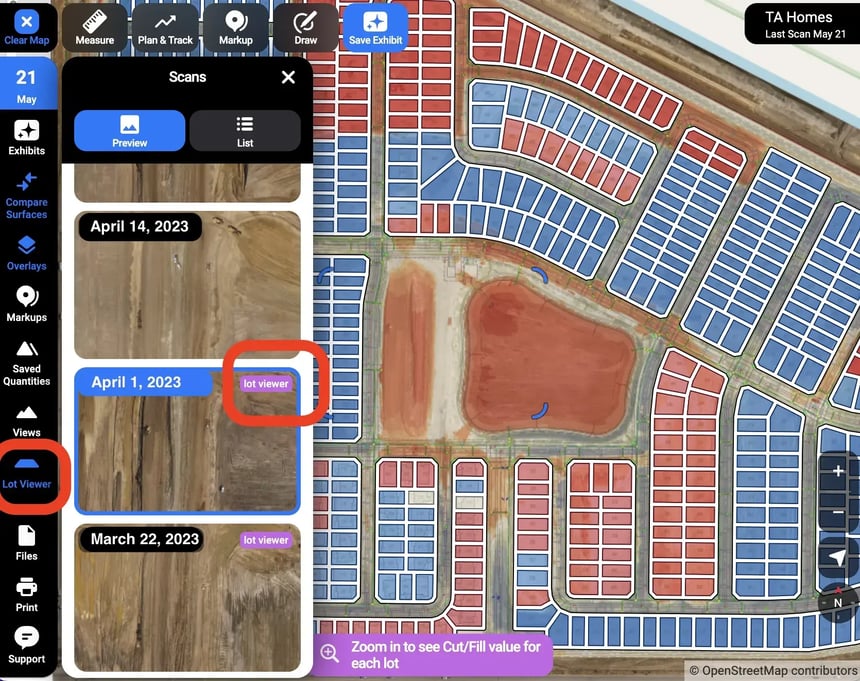
We’ve made it even easier to navigate to Lot Viewer within TraceAir. Simply click the “Lot Viewer” button on the left toolbar. From there, you can use the drop down menu to select scan dates. Additionally, when viewing your scan archive, scans with Lot Viewer enabled will display the label “Lot Viewer” for easy identification.
Check out our live demo of all the new features and discover real-world use cases in our demo.
For anyone in the homebuilding industry, time is one of your most valuable assets. The need to survey your lots multiple times is very time-consuming.

3 min read
Despite an increase of 77% from last year, the number of lots available for residential building in the US remains “significantly undersupplied”,...
3 min read
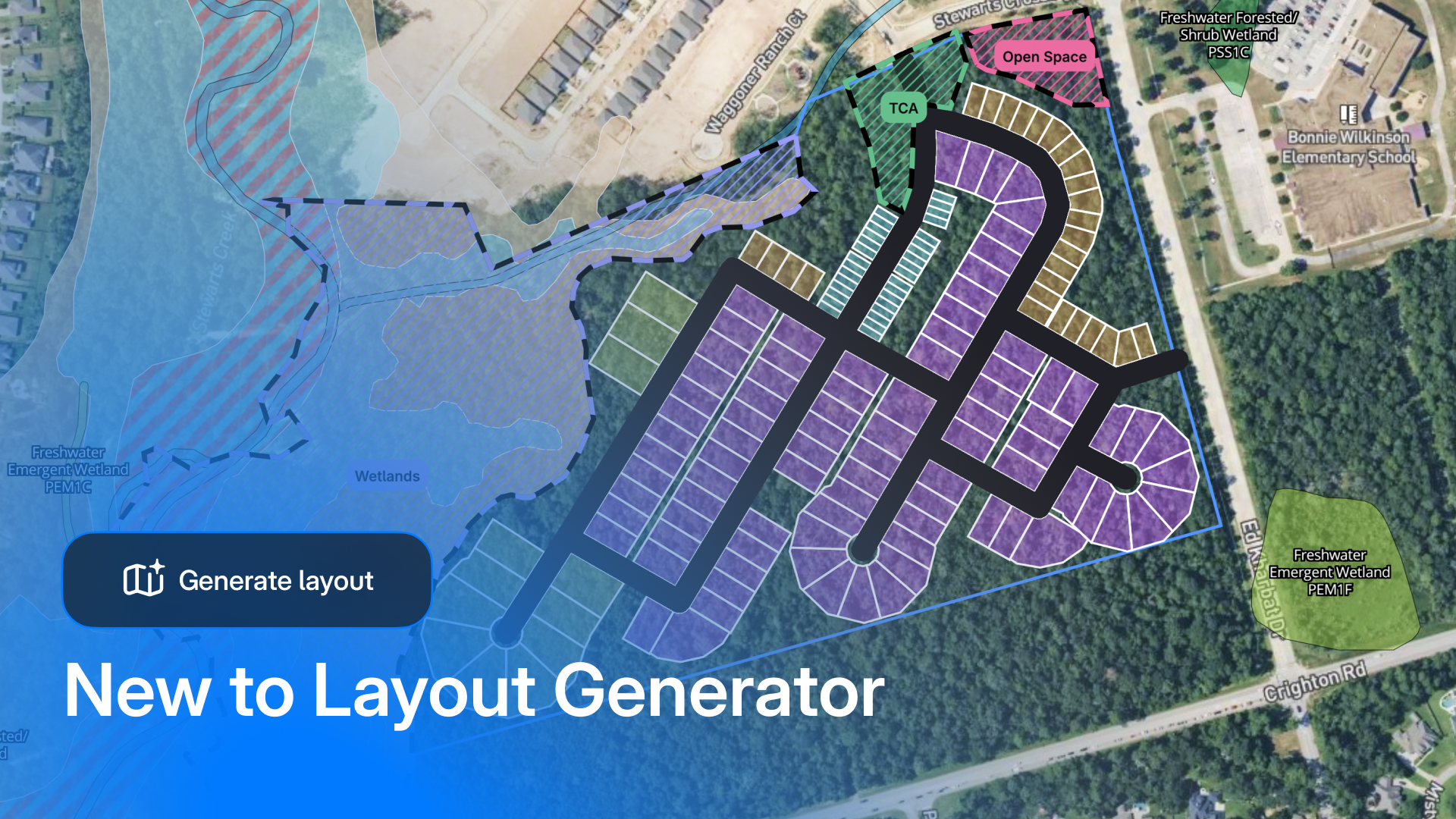
When we first launched Layout Generator, the industry response was loud and clear: land teams needed a tool that was easy to use, fast, and...