


3 min read
Don't Guess, Measure: How TraceAir Ensures Accurate Billing for Land Developers
The land development phase of construction presents countless unique challenges, with one of the most critical being a lack of a way to quickly and...





4 min read
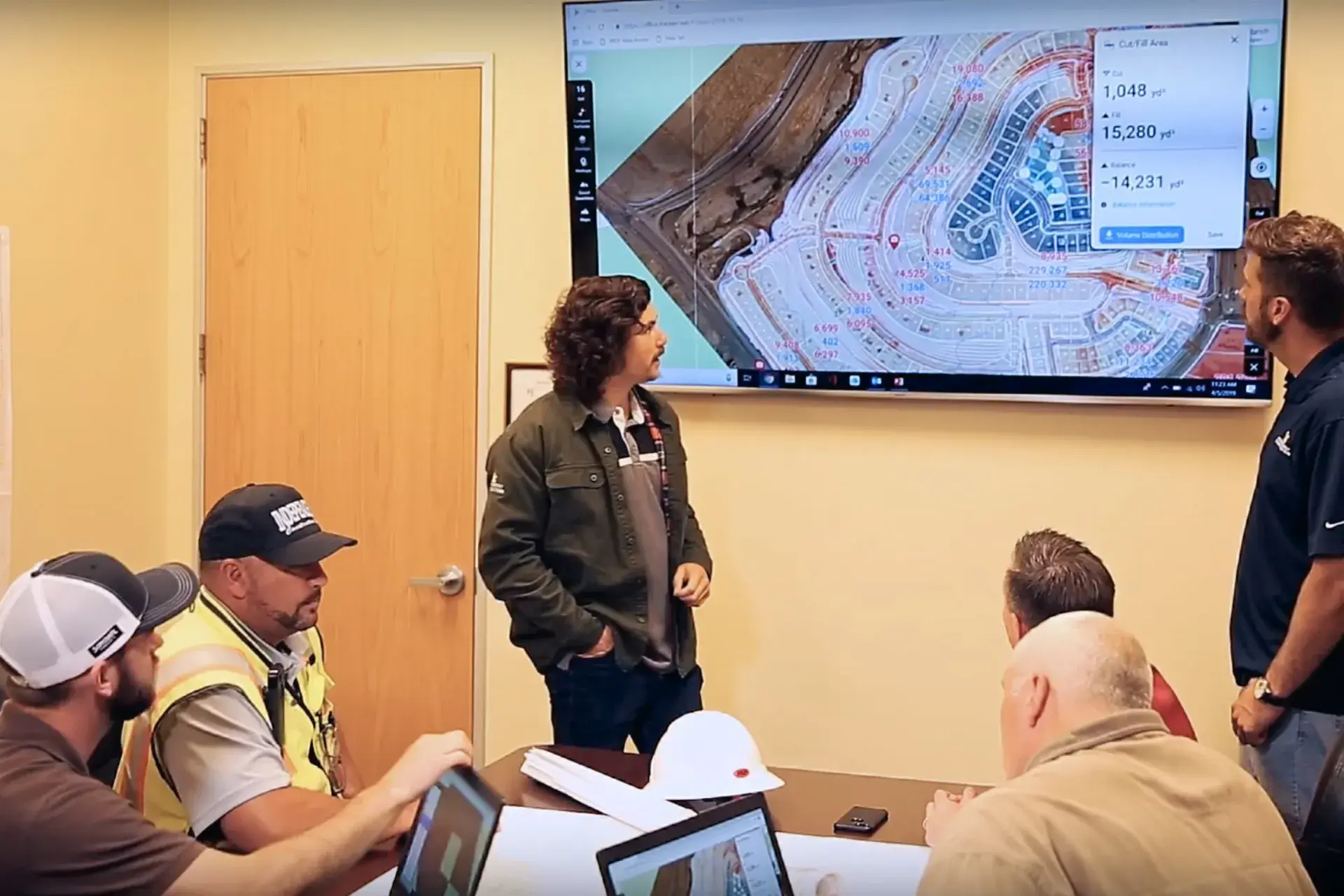
The ability to stay connected and make quick decisions is essential for keeping projects on schedule. Purpose-built for homebuilders and land developers, TraceAir ensures seamless collaboration across your entire team, whether they're in the field or the office, with unlimited licenses. With TraceAir's user-friendly tools, you can keep your projects on track effortlessly.
Here are ten simple workflows for you to explore:
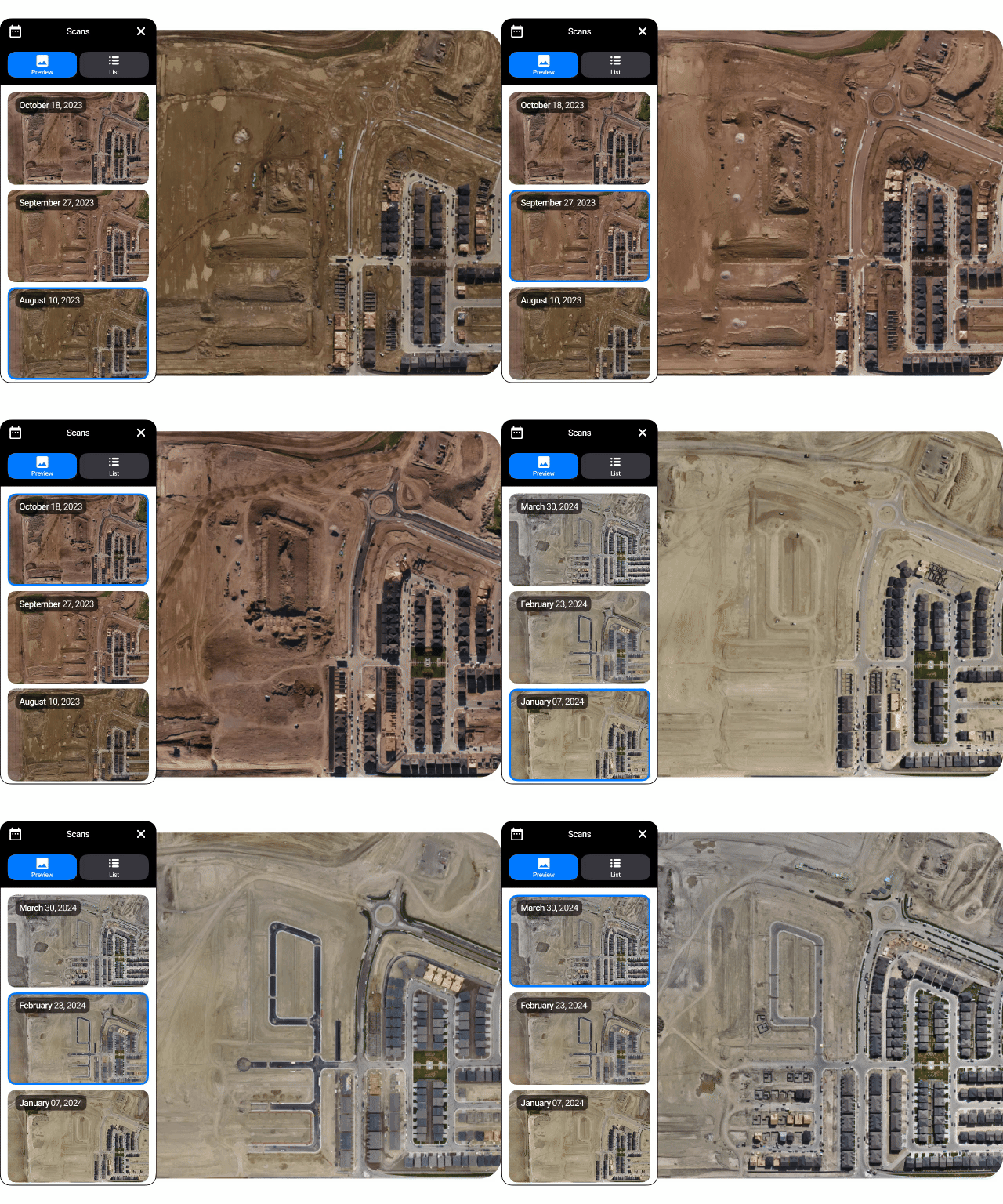
Use TraceAir for meticulous visual and data-driven monitoring of every project phase, empowering proactive decision-making. Easily toggle between previous scans to assess progress. Use 360 panoramas to immerse yourself in the project. Leverage this information to verify billing accuracy, stay on track with schedule deadlines, and maximize efficiency.
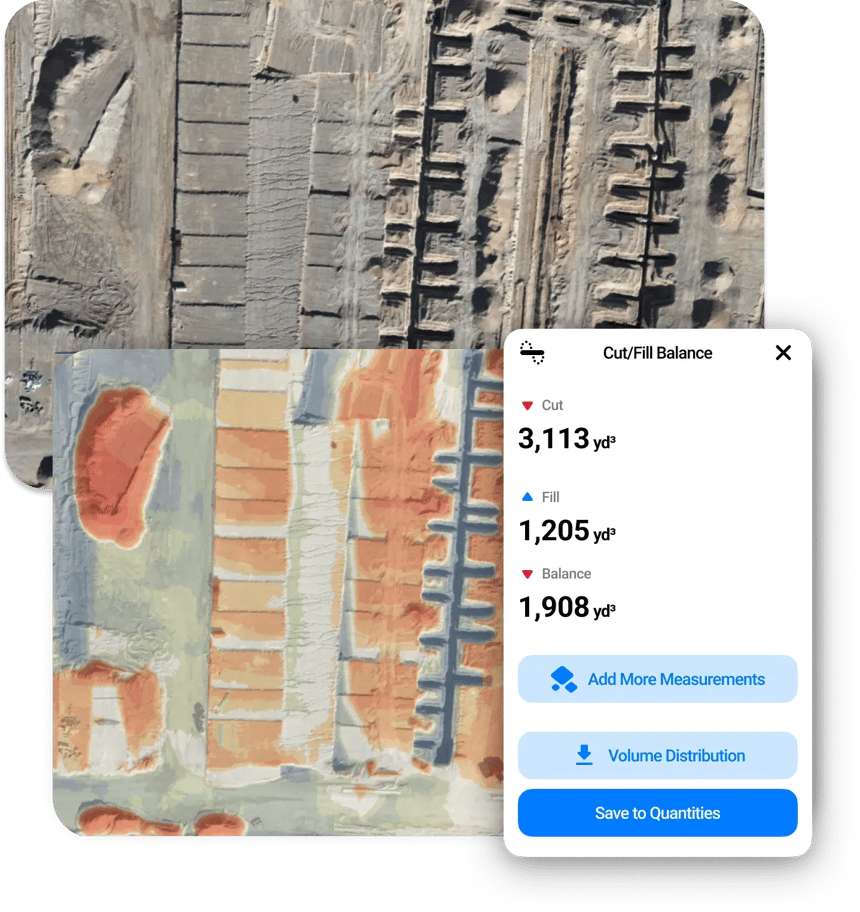
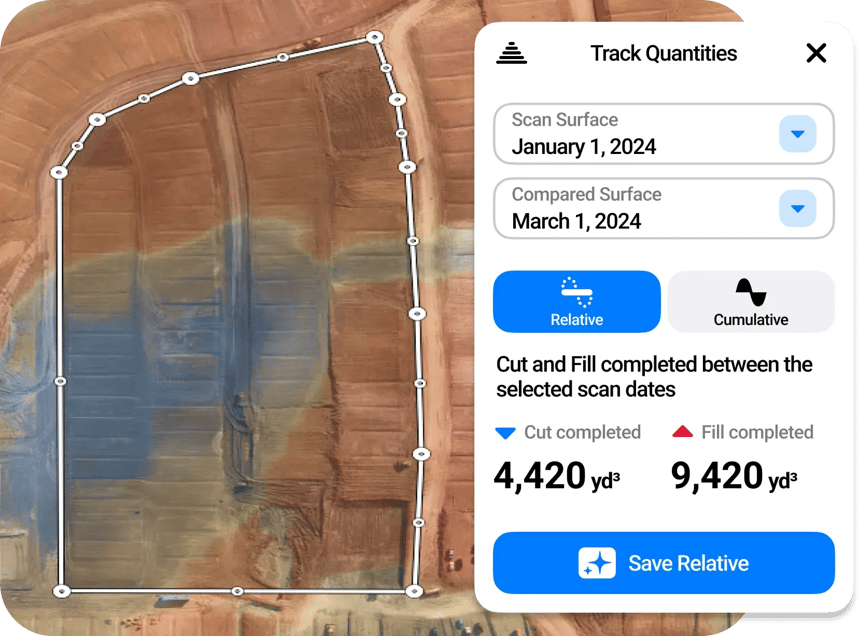
Quickly measure cut/fill volumes across your entire site down to individual lots. Colored heat maps provide a visual representation of earthworks quantities, enabling easy identification of areas needing cut or fill. Toggle between scans to see movement over time. Utilize this data to achieve site balance, eliminate unnecessary dirt handling, and ensure optimal resource allocation.
With TraceAir, I’m able to easily track all of our earthworks. This allows me to make sure we stay on schedule, verify bills from contractors, and optimize our project's efficiency. It’s a great tool for keeping everyone accountable and on track.”
— Payton Sim, Land Development Manager, Toll Brothers
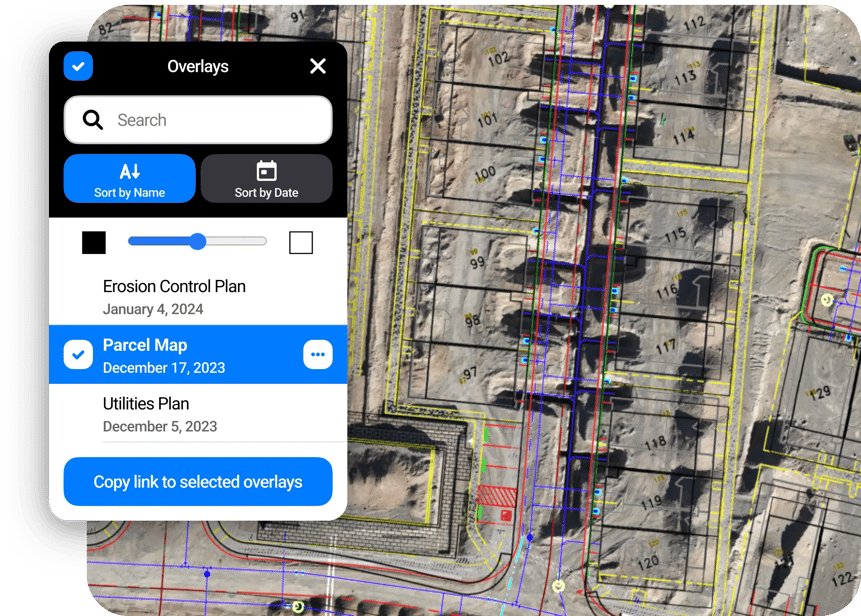
Gain valuable insights into potential conflicts by overlaying project plans onto current site conditions. Simply upload project documents, drawings, or exhibits, and customize transparency levels as needed. Whether it's utility plans, stormwater management documents, grading plans, or civil sets, having everything in one place streamlines your workflows and ensures everyone is working from the most up-to-date information.
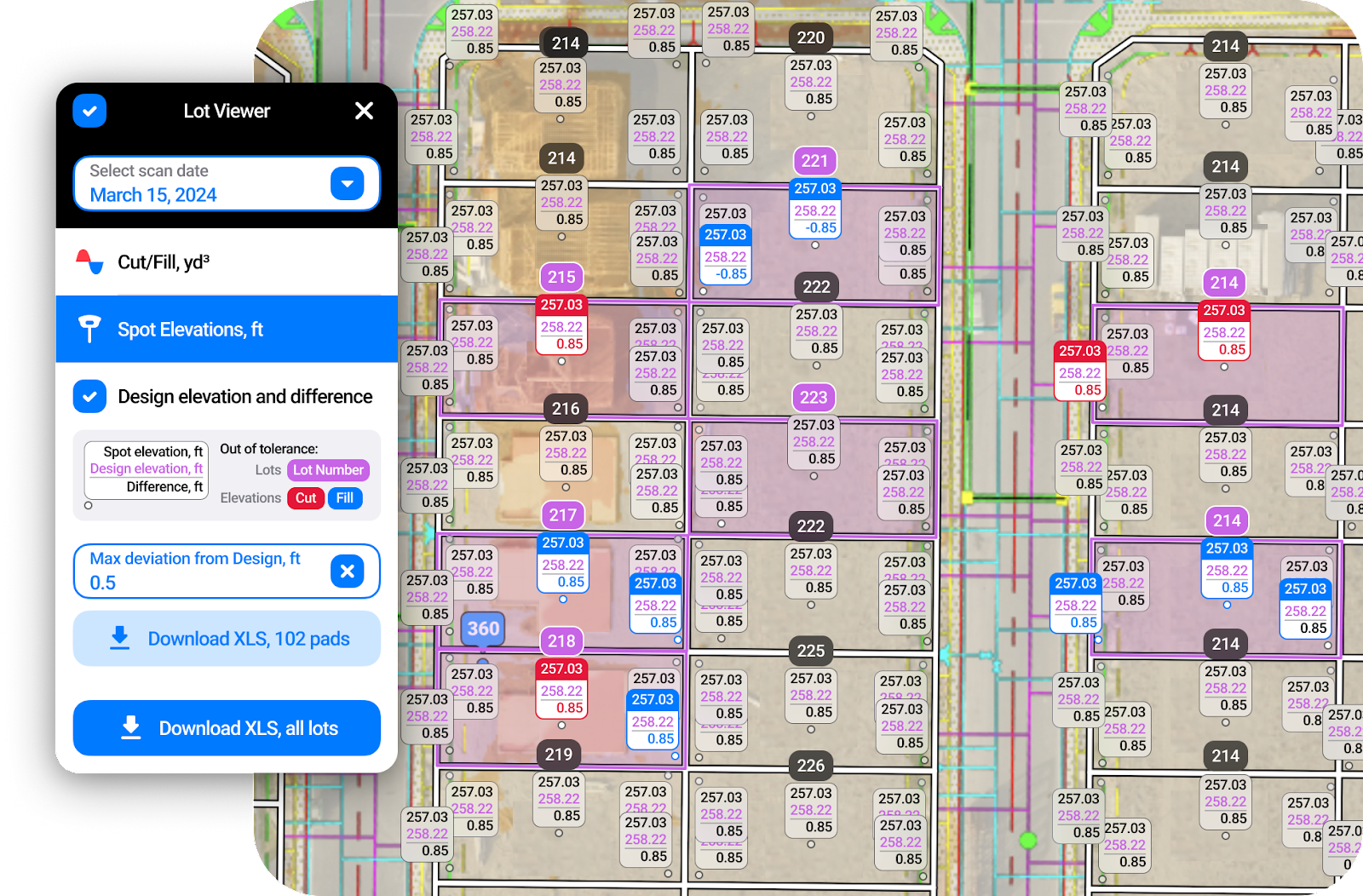
In addition to being able to track cut/fill quantities anywhere on site, Lot Viewer provides a offers a comprehensive breakdown of quantities by individual lots. Using color-coded heat maps, it provides a clear visual for identifying areas of concern and prioritizing actions. Easily compare finished lots for land acquisition or pad certification.
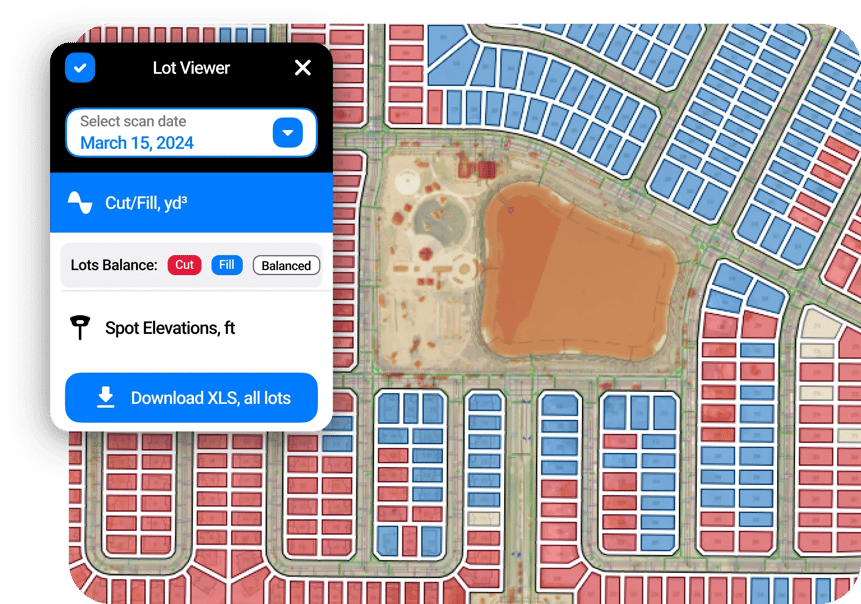
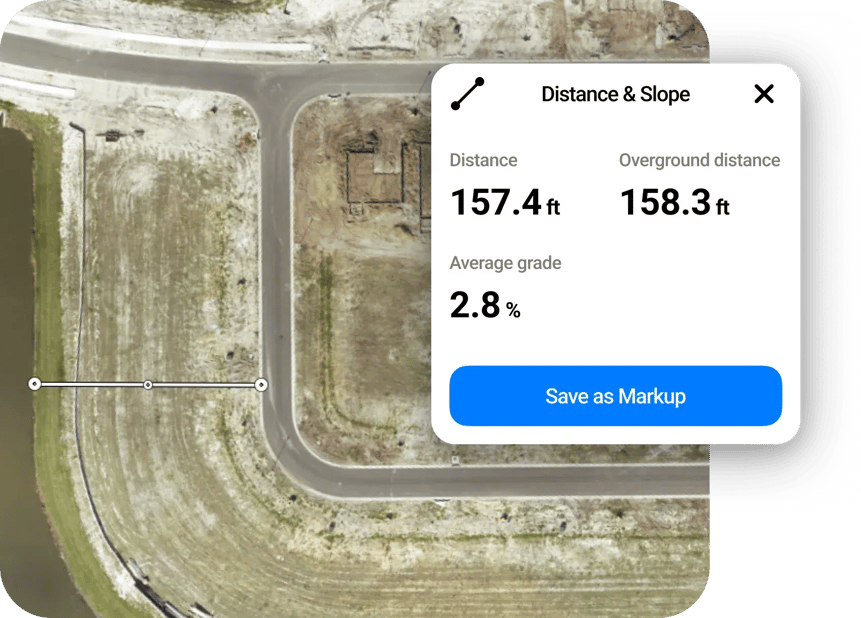
With up to 1/10' (3 cm) accuracy, you can easily obtain precise distance, slope, area, and perimeter measurements from any location. Measure how many feet of pipe was installed, calculate the slope of an embankment for SWPPP, or check elevations for site planning. Save or export measurements for future reference, or compare against previous scans to calculate progress.
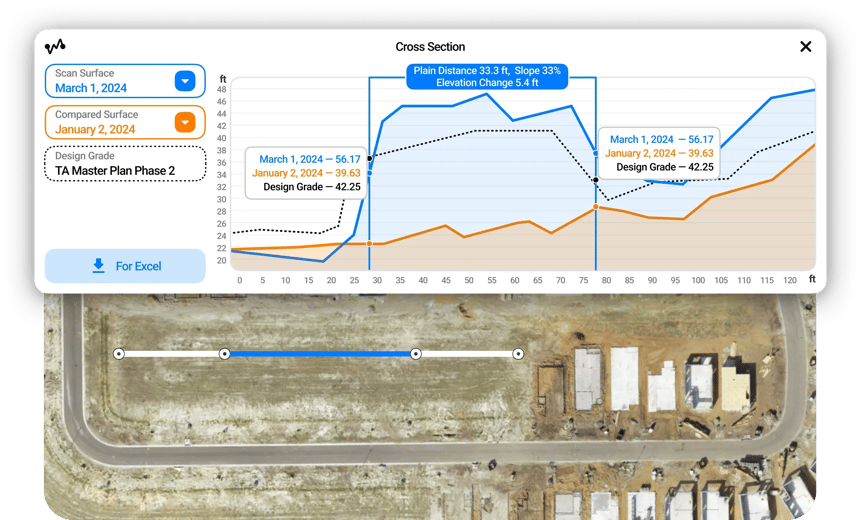
One of the most popular tools in TraceAir, Cross Section, creates a graph of elevation changes along a chosen path. Various lines on this graph depict the scanned surface (blue), compared surface (orange), and the design grade (dotted line, with the file name mentioned in the legend). Simply select any two points along the path to observe the elevation difference between dates. Use this information to make informed decisions, enhance accuracy, and streamline planning, estimating, and budgeting processes.
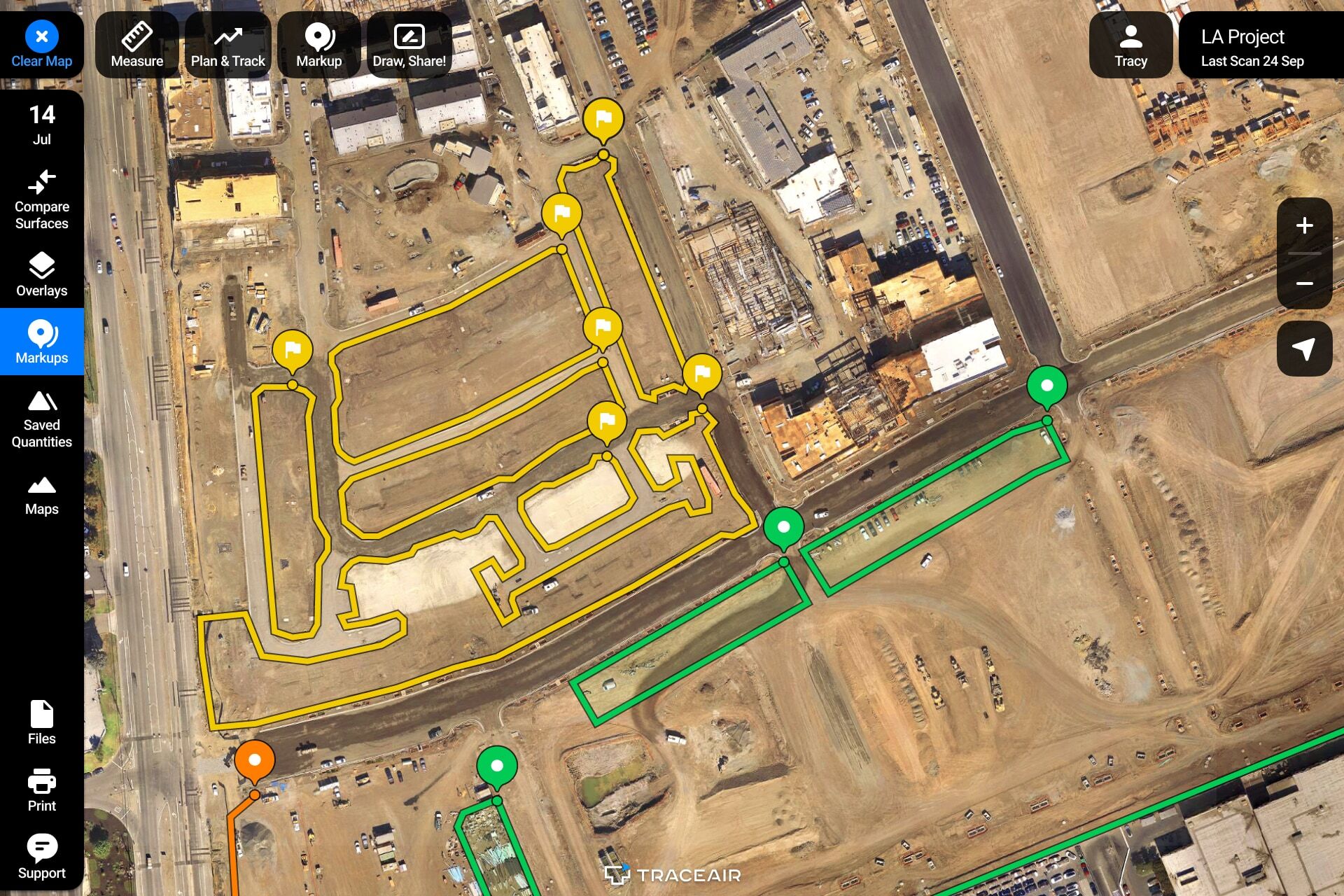
Strengthen collaboration on your team regardless of location. Utilize data to eliminate misunderstandings and accelerate progress. From markup features for annotating project details to screen sharing for real-time collaboration, TraceAir empowers your team to work together, ensuring everyone stays informed and aligned. TraceAir's interactive visuals redefine communication, making complex ideas simple, discussions insightful, and collaboration seamless and effective.
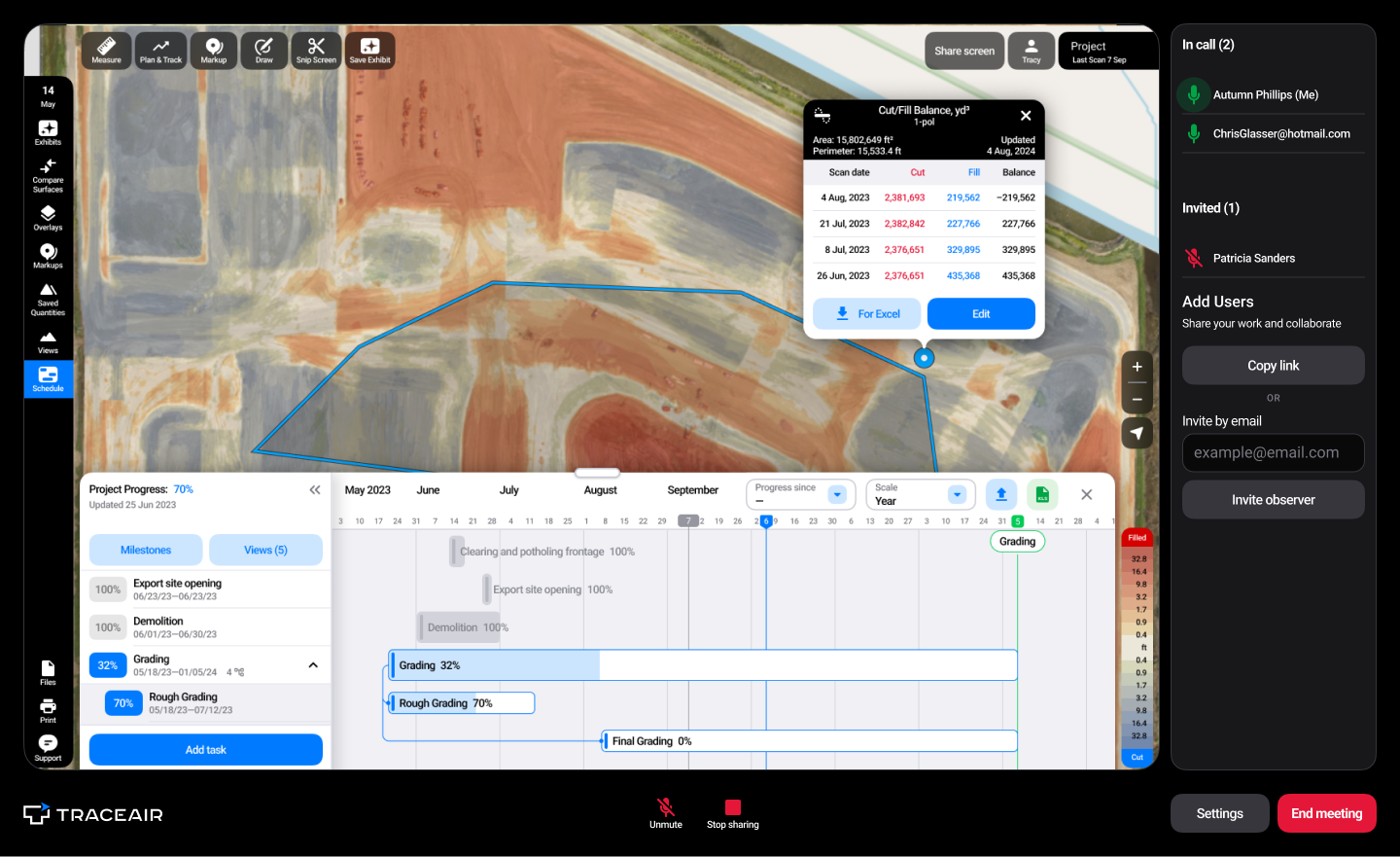
As a Director of Land Development, TraceAir allows me to oversee all our projects, quickly address issues, and hold everyone accountable. The collaborative features ensure that my team, contractors, and stakeholders are aligned. When we pull it up in meetings or on calls, it’s like we’re all on site together. It really helps us stay on schedule and maximize our efficiency.”
— Greg Coleman, Director of Land Development, Beazer Homes
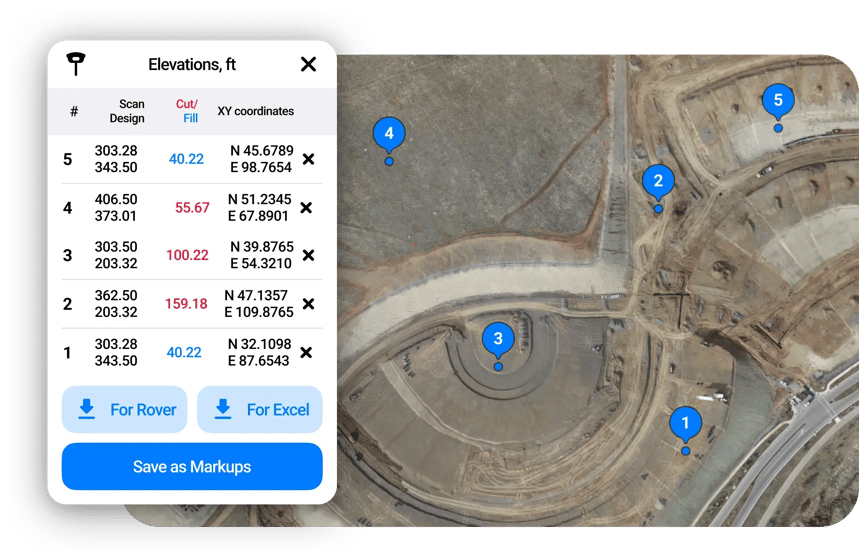
Measure the elevation of any point on your job site. By accessing exact coordinates and design grade elevations, you can ensure alignment with project specifications and minimize errors throughout the construction process.
The spot elevations tool within Lot Viewer virtually grade stakes your lots. When activated, it will show you elevations at all four corners of the lot, the building pad, and the center. In addition to spot elevations, it provides you with the design grade and displays the difference between the two.
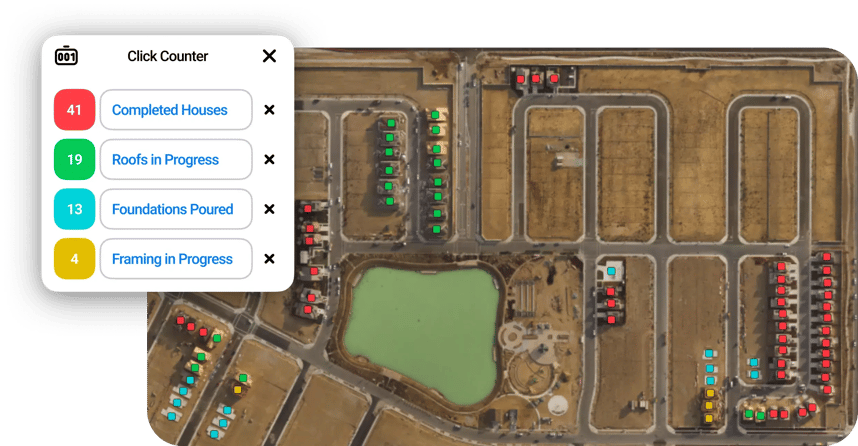
From rooftops and houses to machines and driveways, quickly tally and categorize anything on your project, ensuring that no detail is overlooked. By saving counts as exhibits and updating them as needed, you can maintain accurate records and easily track progress.
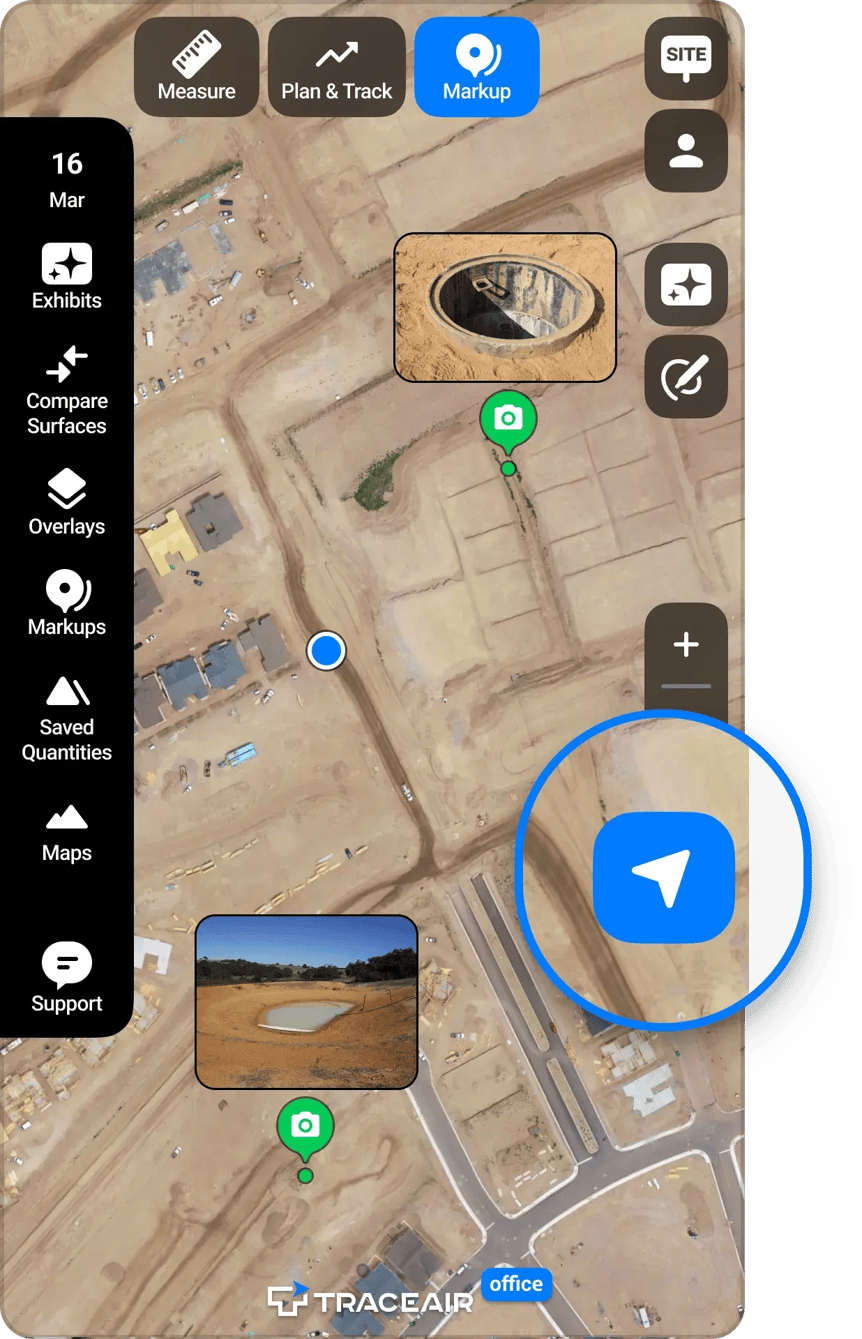
Enhance collaboration by providing visual context and real-time updates, ensuring everyone stays on the same page, no matter where they are. Just click "Upload Photo" when the Markup sidebar is visible.
With TraceAir, effortlessly generate comprehensive reports detailing project progress and key metrics. Select specific project areas to analyze cut and fill quantities, comparing current progress with previous dates. Lot Viewer reports to gain insights into individual lots, facilitating targeted decision-making and optimization efforts. These reports serve multiple purposes, including billing verification, progress analysis, and project planning.
With TraceAir's comprehensive tools and features, homebuilders and land developers can easily streamline their workflows, enhance collaboration, and achieve greater efficiency in every phase of their projects. Current users can reach out to their dedicated customer success manager to explore workflows and ensure you're getting the most out of TraceAir.
If you're not using TraceAir and would like to learn how your projects can benefit, schedule a demo with TraceAir today.
3 min read
The land development phase of construction presents countless unique challenges, with one of the most critical being a lack of a way to quickly and...
1 min read
Use the Right Tools to Manage SWPPP TraceAir's measurement tools can help make your SWPPP workflows faster, easier, and more collaborative. Read...

3 min read
Flooded driveways and soggy backyards are more than just a homeowner’s nightmare—they’re a costly risk for homebuilders too. Proper lot slopes are...