


.png)
We’re excited to unveil the redesigned Projects Portal, featuring a sleek vertical sidebar navigation and an all-new progress bar that enhances visibility and streamlines workflows. These updates make managing your TraceAir projects clearer, faster, and more intuitive than ever before.
Projects Portal is your central hub for admins to manage TraceAir projects. From initial onboarding to ongoing project tracking, it provides a structured, easy-to-navigate interface that helps teams stay organized, collaborate effectively, and keep projects moving forward. With features like flight scheduling, overlay management, and user access controls, Projects Portal simplifies project setup and keeps key information at your fingertips.
Vertical Sidebar Navigation for Faster Onboarding
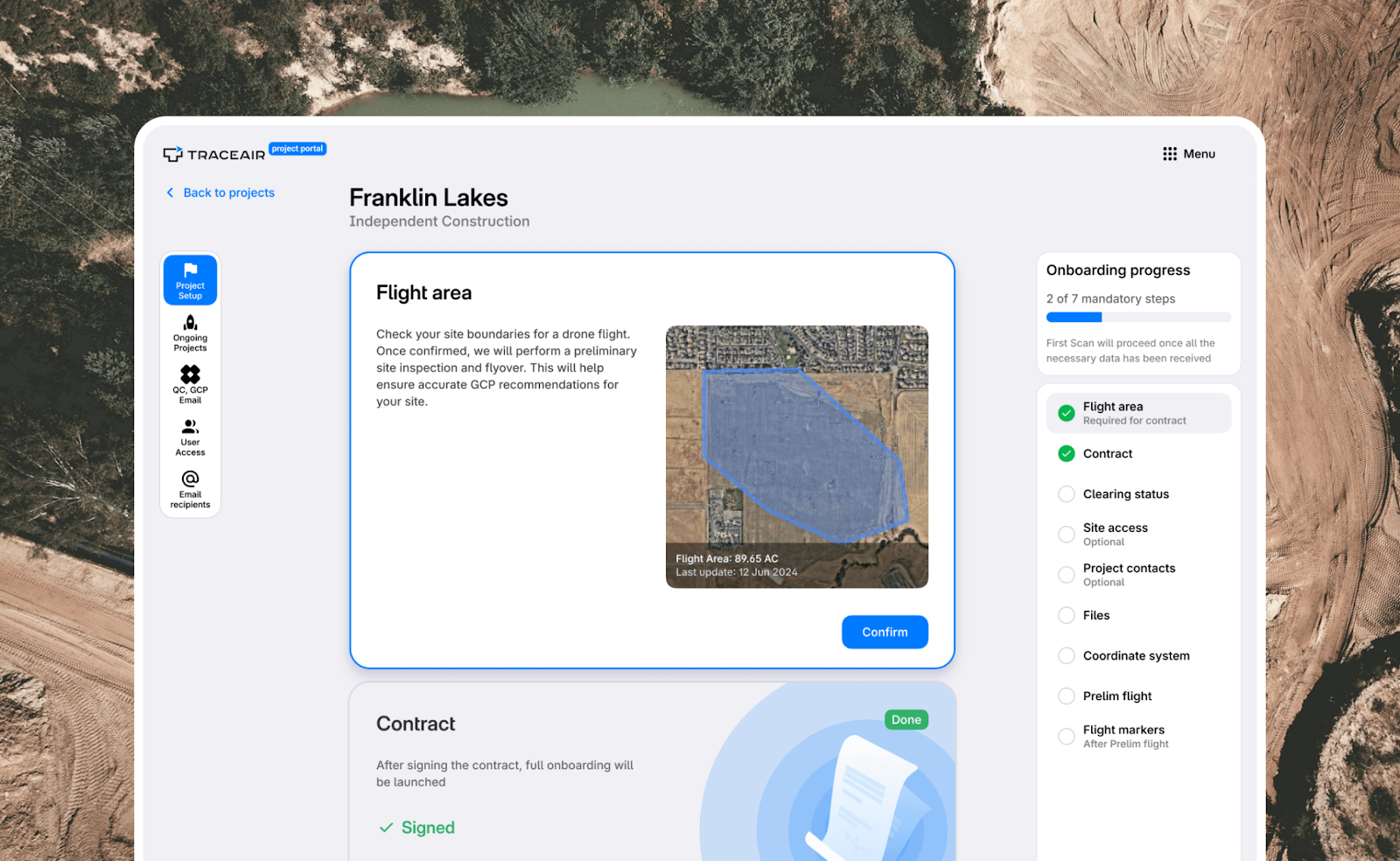
The new vertical sidebar navigation provides a more intuitive way to switch between Project Setup, Ongoing Projects, and User Management with fewer clicks. This streamlined layout ensures that everything you need is just a click away, giving you a clearer and more structured view of your projects. It also allows you to see exactly where you are in your onboarding process at a glance, making it easier to track progress without unnecessary navigation.
New Progress Bar for Real-Time Project Tracking
Stay on top of your project’s onboarding with the new right-side progress bar! This visual tool provides a clear snapshot of completed tasks, pending actions, and next steps—so you never miss a critical update. Combined with the vertical sidebar, the new layout makes it easier than ever to track progress and keep everything moving smoothly.
Experience the Upgraded Projects Portal Today!
At TraceAir, we’re committed to making your experience exceptional. The redesigned Projects Portal puts everything you need front and center, making project management easier than ever. If you have any questions or feedback, please reach out to let us know.