


Use the Right Tools to Manage SWPPP
TraceAir's measurement tools can help make your SWPPP workflows faster, easier, and more collaborative. Read the blog post to learn how we save time and money for geotech engineers, and owners on environmental tasks. In this article, we discuss which tools will help with SWPPP workflows.
SWPPP Planning, Management, and Inspection
Whether it's a dedicated Environmental Manager, Land Development Manager, Project Manager or other consultant, the primary individual responsible for SWPPP needs to plan, coordinate and manage activities, and inspect the site for compliance. Here's how:
- Weekly top-down photos: TraceAir's regular drone flyovers give you the most accurate information and allow you to visually inspect any work in place without having to drive the site.
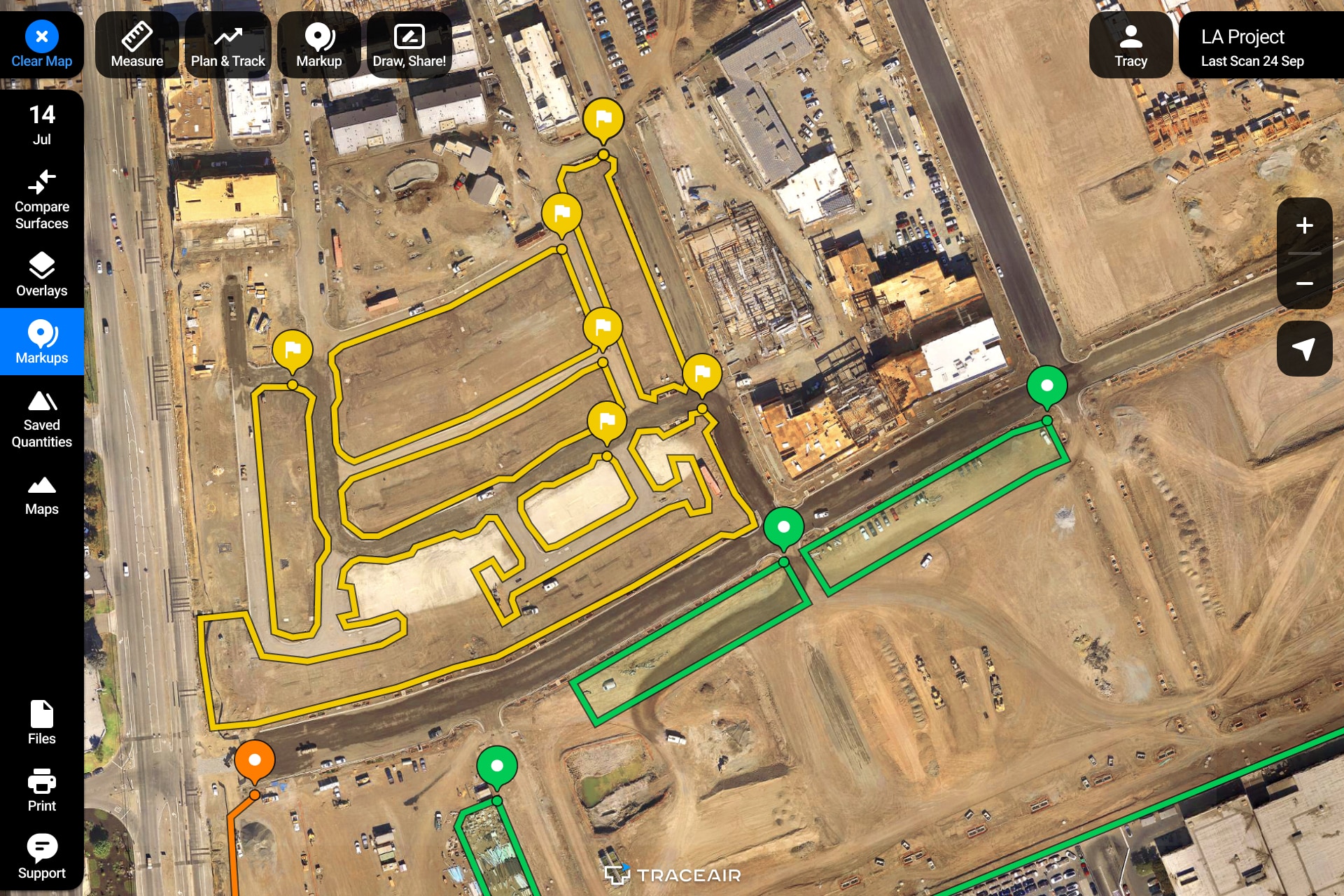
- Overlays: TraceAir allows you to overlay project documentation so you can easily compare design documents with the as-built information.
- Area + Distance Measurements: The area and distance measurement tools make it easy to determine accurate quantities of necessary SWPPP materials (hydromulch, protective fabric, fiber rolls etc).
- Markups, Draw and Share: Adding notations to the latest scans allows managers to assign SWPPP tasks to contractors with clear direction and visual explanations.
Stormwater Diversion Plans
Throughout the rainy season, project teams are required to update stormwater diversion plans, usually with the help of an environmental manager or consultant. Typically done in CAD, there can be a lot of back and forth between engineers and project teams to develop these plans. TraceAir saves a lot of time and money in meetings by allowing teams to collaborate using a visual platform to develop the right solution quickly. The cross section tool is particularly useful in developing stormwater diversion plans.
- Cross Section: The cross section tool allows users to review elevations along a designated path. The tool also compares cross sections of the designated path to the design grade and previous data from prior scans.
Dewatering Plans
With the rainy season, ponds can develop on the project site. Using the following TraceAir tools, project teams can plan ahead and manage dewatering on their jobsites.
- Area + Removals Measurements: The Area and Removals measurement tools make it easy to determine the volume of water on site.
- Markups: Adding notations to scans allow teams to mark areas where water accumulation is anticipated.
- Cross Section: As described above, the cross section tool will also help teams determine where water will pond on site. It also allows for measuring the local slopes in the specified areas accurately.