


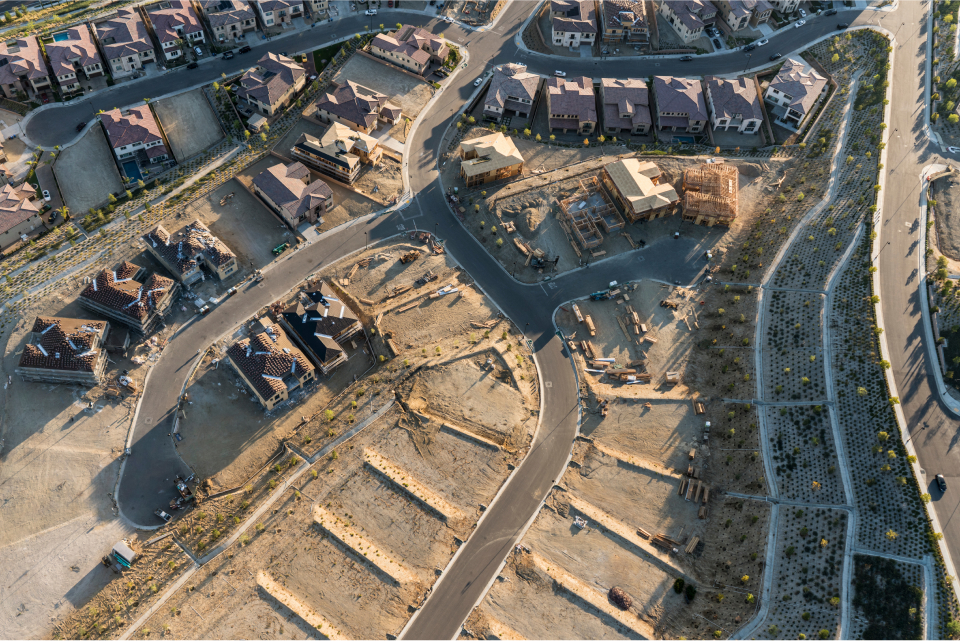
The site work phase of construction carries a multitude of risks that have the potential to derail construction schedules and drive up project costs. Plans are constantly changing as unknowns are discovered. Successfully executing project plans requires extreme accuracy, planning, and communication. With demand at record highs, every second matters.
Many home builders and land developers rely on traditional methods, such as pen and paper, spreadsheets, and best guesses, to manage their site work. Although these methods have been used for decades, making them tried and trusted, they leave enormous room for error.
Here are five signs you need sitework software:
1. Miscommunications
Here’s the funny thing about pen and paper: it can’t be accessed by multiple people in multiple locations. Communication and collaboration between field and office staff, and also amongst contractors, are imperative to project success. When working with multiple contractors, most likely they are using their own project management methods. It’s easy to see how using multiple sources of data can get confusing.
The pathway to miscommunication disasters looks like:
- Field staff are unequipped with quick methods of viewing project plans requiring them to constantly contact the office for clarification.
- Your teams are unable to easily collaborate.
- You spend hours each week driving from job site to job site to obtain information.
2. Unproductive Meetings
Project Managers spend insane amounts of time in meetings. Between owners, engineers, contractors, public agencies, and consultants, there are dozens of stakeholders that need to be kept in the loop. Making the most of the time spent in these meetings is a challenge.
One of the biggest challenges construction teams face is how to visually communicate what's happening on site. Typically, teams would use 2D drawings with markups, Google Earth images, and site photos as visual aids, but these options are not ideal. 2D drawings are hard to conceptualize, Google Earth images are unclear and usually out of date, and site photos lack reference points.
What do meetings look like without the right tools?
- Clarification is needed after meetings and mistakes are made in the field.
- Questions can not be quickly and confidently answered.
- “This meeting could have been an email” runs through your mind.
3. Unorganized Job Details
Project managers spend a great deal of time every day looking for information. Checking elevations, measuring stockpiles, tracking quantities of materials moved, and other calculations requires hiring consultants. Since consultants bill by the hour, these costs add up quickly and have a huge impact on project budgets. Furthermore, the turnaround time for data can be multiple days, which delays decision-making. Wasted time spent searching for information or making unnecessary visits can add up quickly.
Here’s proof that unorganized job details are inhibiting your success:
- You rely on expensive consultants to obtain measurements.
- Hours are spent each week searching for documents and information.
- If you had better information you could have made better, more profitable decisions.
- Verifying what work has been completed for billing is unclear.
4. Schedule Delays
No project ever goes perfectly. Project drawings and documents aren't always aligned, and human errors can lead to expensive rework and delays. Errors like over-excavation, placement of utilities or objects on site, and simple miscalculations can happen before being noticed, and can quickly lead to missed deadlines. Missing deadlines can result in hefty fines that quickly eat away at your profits, which can make or break your entire project.
Deadlines can make or break an entire project. Do any of these sound familiar to your team?
- You repeat tasks multiple times — moving dirt, having lots surveyed, etc.
- Obtaining measurements or answering questions requires site visits.
- You spend several hours each week reviewing paper site plans to sequence contractors.
- Field staff have no way to compare project plans to the current design.
5. Disputes
The construction industry has seen a significant increase in disputes over the past few years. The global average value of disputes in 2020 was $54.26 million. Without a visual record of a project, it can be difficult to resolve a dispute, such as when a stockpile was moved, when the equipment arrived, when pavement or concrete was damaged, etc. It could take weeks to resolve these issues, without physical proof.
- You do not have historical records of your projects.
- Change orders and rework are something you commonly experience.
Time For A Change
Leaving your old methods behind for a site work software may be scary, but the benefits are endless.
The #1 site work software for land developers and homebuilders, TraceAir does what traditional methods can’t. Trusted by top home builders and land developers for staying on schedule, managing dirt balance, and tracking progress, TraceAir puts important project data in the right hands. Field staff can easily obtain measurements and collaborate with office staff. Project managers and stakeholders can track progress from anywhere.
The data and tools provided by TraceAir save hours, even weeks, on key tasks. In addition, TraceAir users are seeing major savings, improved processes, better communication, and fewer disputes. Schedule a demo to learn how your team can benefit.